How to Build a Small Business Website with Divi That Actually Brings In Customers
This post contains affiliate links to Elegant Themes. If you buy through them, I earn a small commission at no extra cost to you. Affiliate disclosure
Take a moment and Google your business right now. What shows up?
Maybe it’s your Google Business Profile with a few reviews. Maybe it’s a Facebook page you haven’t posted on since last spring. Maybe it’s a website your nephew built in 2019. Now ask the harder question: if you’d never heard of your business, would what you just saw make you call?
Your website is the front door of your business for every customer who finds you online first. And most of them do. When business owners ask me what to build on, I point them to Divi by Elegant Themes, because it lets you build a professional site and keep it updated yourself.
Take the 5-second test first
Before you build anything new, audit what you have. Open your current website on your phone, count to five, and tick what’s true. No website yet? Run it on a competitor’s site and note what they get wrong.
The 5-second test
0 of 7 done
Seven for seven. Your website is doing its job. Now make sure your Google Business Profile links to it.
Every box you couldn’t tick is something your new website has to fix.
Why Divi works for small businesses
- You can update it yourself. New service? Holiday hours? You change it in minutes without calling anyone.
- It’s one purchase, not a monthly rent. Divi has a lifetime option, so you’re not paying a website builder every month forever.
- It grows with you. Add a store with WooCommerce, bookings, or a blog when you’re ready.
- Hundreds of business layouts are included. More on that next.
Two fast ways to start
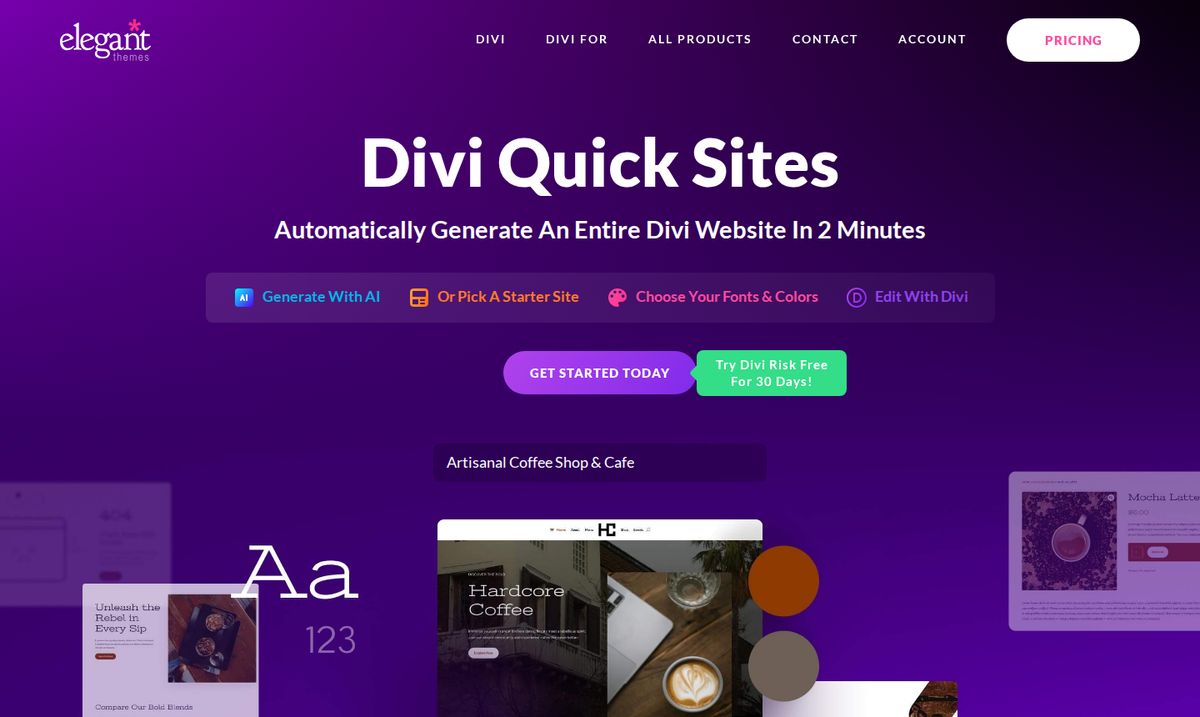
Option 1: Divi Quick Sites. Describe your business, and Divi generates a whole starter website, pages and all, in a couple of minutes. Or pick a premade starter site and choose your fonts and colors.
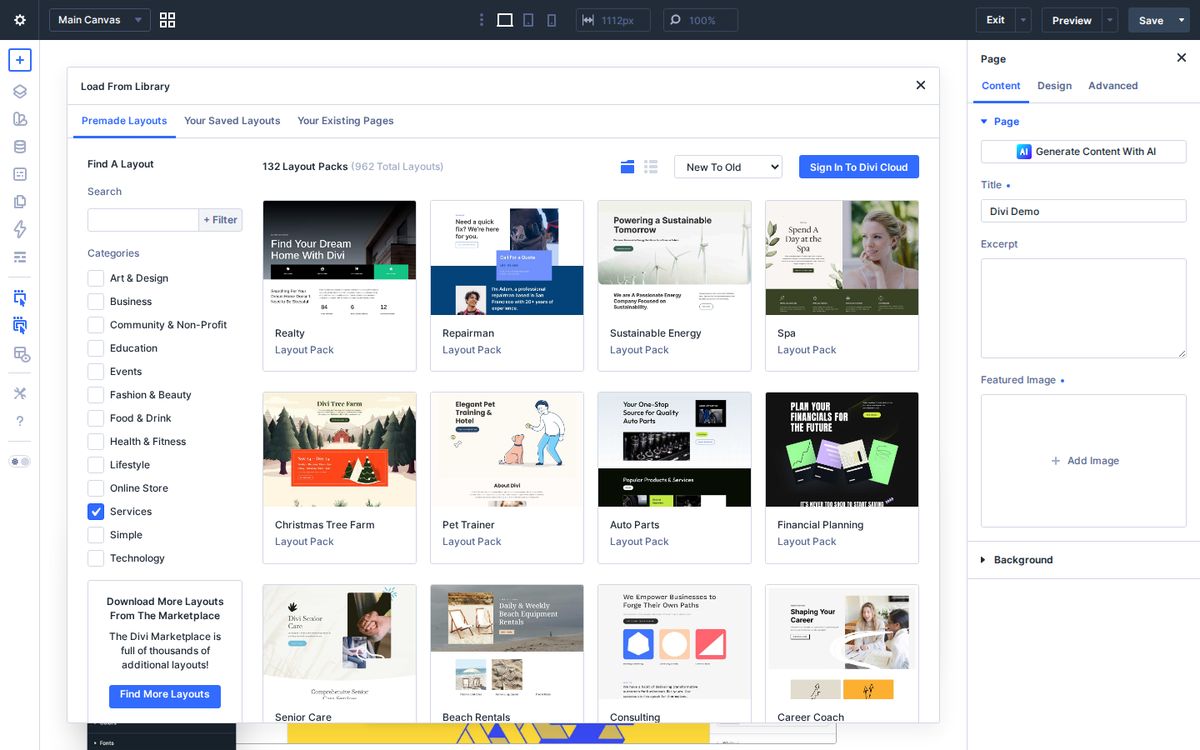
Option 2: A layout pack. Filter Divi’s premade layout library by Services or Business and you’ll find packs for repair services, pet trainers, spas, auto parts, financial planners, attorneys, consultants, and more.
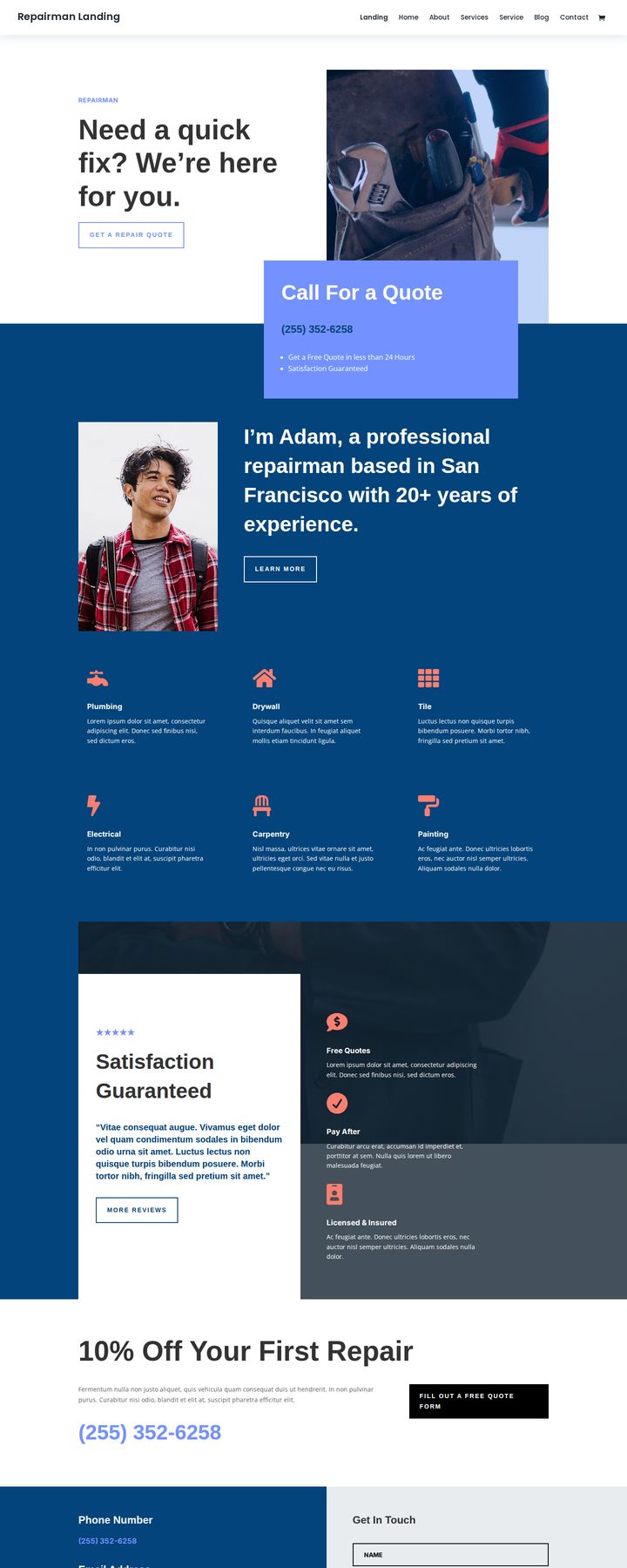
Here’s the Repairman pack’s landing page, for example. Notice what it gets right: what they do in the headline, one clear button, and a phone number you can’t miss.
Build the pages that bring in calls
Homepage. One sentence that says what you do and where: “Family-owned HVAC repair serving Nashville and Williamson County.” Then one button. Pick the action that makes you money, whether that’s Call, Book, or Get a Quote, and make it the biggest thing on the page.
Services page. One section per service, in your customers’ words, not industry jargon. Use Divi’s blurb module with an icon, a short title, and two sentences each.
About page. People buy from people. Put your real face on this page. Tell them how long you’ve been doing this and why you care.
Reviews. Pull your best reviews into Divi’s testimonial module, with names (with permission). Put a few on the homepage, not just a reviews page.
Contact page. Phone, email, hours, service area, a map, and a short form. On mobile, make the phone number a tap-to-call link.
Get found locally
A beautiful website nobody finds doesn’t help. A few basics go a long way:
- Match your details everywhere. Your business name, address, and phone number should be identical on your website, Google Business Profile, and directories.
- Link your website from your Google Business Profile. It’s the first place local customers look.
- Name your towns. Mention the cities and neighborhoods you serve on your homepage and services page, naturally.
- Ask for reviews. Every happy customer, every time. Then feature them on your site.
Start small
You don’t need twenty pages. Build a homepage, a services page, and a contact page this week. Add the about page and reviews next week. A clear, simple site that’s live beats a perfect one that’s still “coming soon.”
If you’re ready, get Divi here and try Quick Sites first. If it’s not for you, the 30-day guarantee has your back. And if you want help with the strategy behind your marketing, book a time with me.
When you communicate clearly, everyone wins, and that includes your customers.
Frequently asked questions
Is Divi good for small business websites?
Yes. Divi's visual builder lets owners update their own site, the layout library has hundreds of business and service layout packs, and one license covers unlimited websites.
What are Divi Quick Sites?
Quick Sites is a Divi feature that generates a complete starter website in a couple of minutes, either with Divi AI from a description of your business or from a premade starter site, which you then edit in the builder.
Can I sell products with Divi?
Yes. Divi works with WooCommerce, the WordPress store plugin, and includes modules for designing product, cart, and checkout pages.
What pages does a small business website need?
A homepage that says what you do and where, a services page, an about page with real photos, a reviews or testimonials section, and a contact page with your phone number, hours, and a map.